Make an invoice or an estimate.
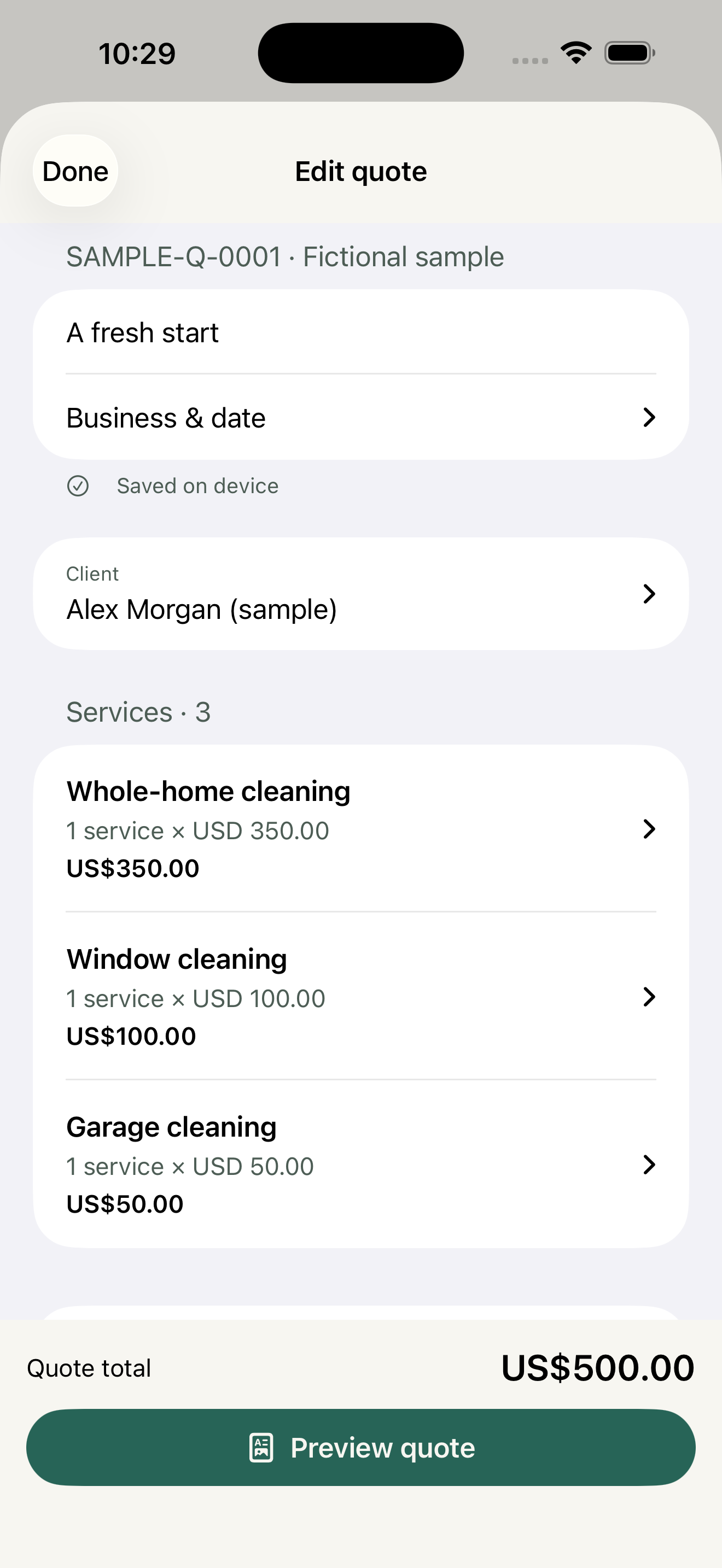
Start an invoice directly, or quote first. Add your services, quantities, discounts and a tax rate. Reuse saved clients and services, then preview a clear PDF.
 Scopefolio
INVOICE & ESTIMATE MAKER · COMING SOON TO IPHONE
Make invoices and estimates on your iPhone, share a PDF and see what you are owed.
Made for contractors, freelancers and other solo service businesses. Start with an invoice or an estimate, then keep every payment and document in one place.
No account to create. Your document work stays on your device.
Create an invoice directly.
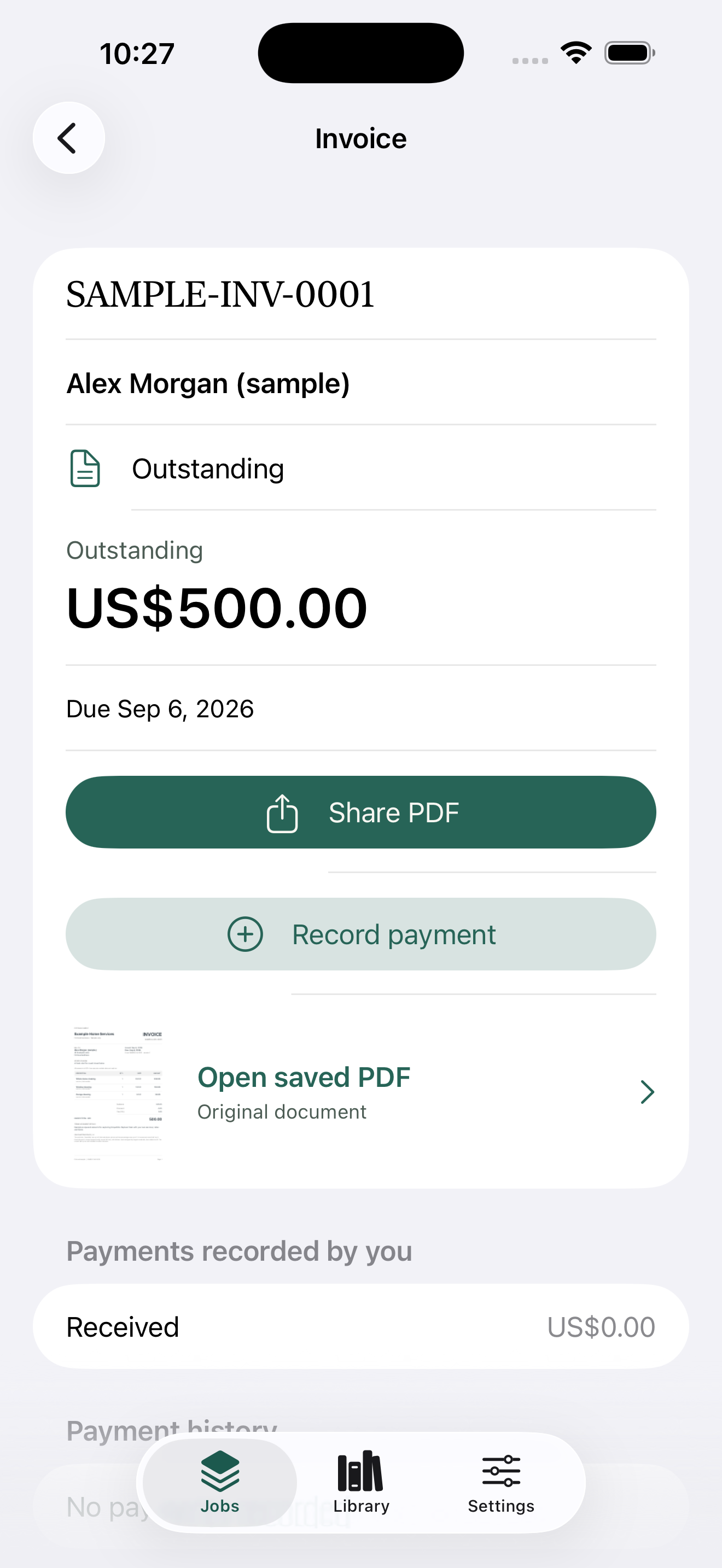
Turn estimates into invoices.
See what you are owed.
FROM ESTIMATE TO PAID INVOICE
Quote the work, invoice it, and keep the balance in view.
Your records stay on your phone.
Start an invoice directly, or quote first. Add your services, quantities, discounts and a tax rate. Reuse saved clients and services, then preview a clear PDF.
Add your logo, contact details, payment instructions and a payment link. Classic is free; Pro adds the Modern and Bold templates and your brand color. Share the PDF through any app.
Convert an approved estimate to an invoice without retyping. Record full or partial payments you receive and keep balances and overdue invoices in view.
THE USEFUL DETAILS
Revise an estimate and compare it with the earlier version. Every finalized version keeps its exact PDF.
Create invoices, finalize PDFs and record payments offline. Optional local reminders help you follow up. Delivery through another app may need a connection.
Share stored PDFs, export CSV files and save a portable backup through Files. You choose when and where to export.
YOUR EXISTING WORK STAYS YOURS
Three jobs free, with the full workflow and Classic template.
Pro adds unlimited jobs, Modern and Bold templates, and custom brand color.
The fictional sample does not count toward your three jobs. Pro is a monthly or annual auto-renewing subscription handled by Apple. When it ends, you can still open and revise existing jobs, finish invoices, record payments, export documents and save backups. New PDFs use Classic while Pro is inactive; saved PDFs stay unchanged. Scopefolio does not process card payments or collect money from your clients.
Preparing for launch on iPhone